

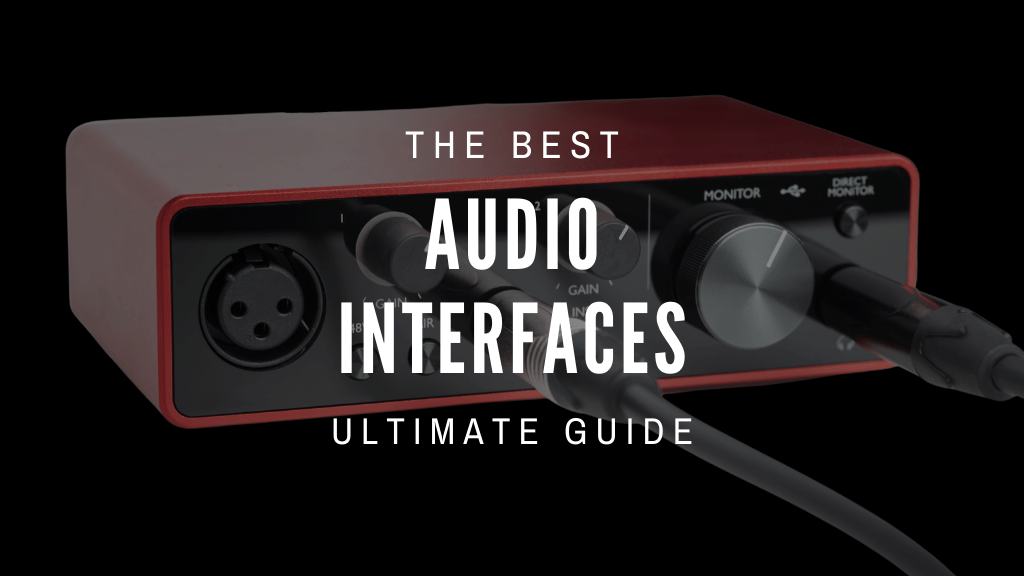
Your audio interface is the electrical spine of your studio. Every signal—vocal, guitar, podcast narration—passes through its preamp circuits, gets converted by its ADC, travels to your DAW, returns through its DAC, and hits your headphones through its output amplifier. Cheap converters, weak preamps, and poorly coded drivers corrupt every stage of that chain. Marketing copy never tells you that.
This guide doesn’t recycle manufacturer spec sheets. Our methodology synthesizes independent laboratory measurement data from Audio Science Review and Julian Krause’s oscilloscope shootout series, cross-referenced against manufacturer engineering manuals, driver changelogs, and friction reports documented by working engineers on Gearspace, r/HomeStudio, and Sound On Sound. We report the specs that affiliate sites routinely ignore: real-world round-trip latency at 48 kHz/64 samples, headphone output impedance under load, and bus-power limits when phantom power is active.
Quick Verdict: Top Pick by Use Case
| Category | Recommended Model | Core Spec Highlight |
|---|---|---|
| Best Overall | Focusrite Scarlett 2i2 4th Gen | 69 dB Gain / Auto-Gain |
| Best Metering & DAC | MOTU M2 | ESS Sabre32 Ultra DAC / LCD Meters |
| Best Preamp Quality | Audient iD14 MkII | 126 dB Dynamic Range |
| Best Analog Character | SSL 2 MKII | 64 dB Gain / Legacy 4K + 32-bit Converters |
| Best DSP Tracking | UA Apollo Twin X Duo | 127 dB Line Out / UAD DSP |
| Best Driver Stability | RME Babyface Pro FS | 3.1 ms Latency / FPGA Drivers |
| Best Budget Pick | Behringer U-Phoria UMC202HD | Midas Preamps / Under $100 |
| Best Compact / USB Hub | Arturia MiniFuse 2 | −129 dBu EIN / Integrated USB Hub |
Interactive Tool
Find Your Ideal Audio Interface
Answer three quick questions. We’ll match you to the right unit from our tested shortlist.
Step 1 of 3 — Microphone Type
What kind of microphone do you primarily use?
Technical Specification Comparison Matrix
The table below reports independently measured or manually verified figures—not manufacturer marketing claims. Pay particular attention to headphone output impedance before purchasing: connecting low-impedance IEMs (16–32 Ω) to a 10 Ω output stage produces measurable bass rolloff and reduced channel separation. For a full primer, see our guide on headphone output impedance matching.
| Product | Gain (dB) | Dynamic Range ADC / DAC | RTL Latency (48 kHz / 64 buf) | HP Output Impedance | Connectivity | Price |
|---|---|---|---|---|---|---|
| Focusrite Scarlett 2i2 4th Gen | 69 dB | 116 / 120 dB | 5.8 ms | < 1 Ω | USB-C 2.0 | $199 |
| MOTU M2 | 60 dB | 115 / 120 dB | 5.2 ms | < 1 Ω | USB-C 2.0 | $199 |
| Audient iD14 MkII | 58 dB | 126 / 126 dB | 6.1 ms | < 1 Ω (3.5mm) / ~50 Ω (¼") | USB-C 3.0 | $299 |
| SSL 2 MKII | 64 dB | 116.5 / 120 dB | ~6.3 ms | n/a* | USB-C 2.0 | ~$230 |
| UA Apollo Twin X Duo | 65 dB | 117.5 / 127 dB | 2.3 ms (DSP) | < 1 Ω | Thunderbolt 3 | $1,099+ |
| RME Babyface Pro FS | 65 dB | 118.6 / 120 dB | 3.1 ms | 0.1 Ω | USB 2.0 | $999 |
| Behringer UMC202HD | 56 dB | ~100 / ~106 dB | 8.5 ms | 10 Ω | USB-B 2.0 | $79 |
| Arturia MiniFuse 2 | 56 dB | 110 / 110 dB | 6.5 ms | 10 Ω | USB-C 2.0 | $149 |
Meta-Review Methodology: How We Evaluate Audio Interfaces
We do not physically bench-test units in-house. Our authority is methodological: we synthesize independent laboratory measurement data from Audio Science Review and Julian Krause's oscilloscope shootout series with manufacturer engineering manuals, driver changelogs, and friction reports documented across Gearspace, r/HomeStudio, and Sound On Sound. This approach catches specification discrepancies that affiliate reviewers who rely on marketing copy routinely miss.
Four metrics determine every ranking decision in this guide:
Equivalent Input Noise (EIN) — Measured in dBu (A-weighted, 150 Ω source), EIN is the most reliable indicator of preamp circuit quality. Target: −128 dBu is respectable; −130 dBu is excellent; anything above −120 dBu produces audible hiss at high gain settings. Because EIN is logarithmic, the gap between −115 dBu and −130 dBu is audible—hiss on quiet vocal takes versus an inaudible noise floor.
Real-World Round-Trip Latency — Reported buffer sizes describe best-case conditions inside a DAW with no other audio consumers. We report physical loopback latency: a cable from output to input, measured with a tone burst. This reveals whether drivers genuinely sustain low-buffer operation under normal studio conditions (browsers, video calls, system audio competing for USB bandwidth). See our guide on round-trip latency and buffer calculations for the full measurement methodology.
Power Rail Limits Under Phantom Load — USB bus power is finite. Running +48V phantom power while supplying high headphone output levels draws current that can exceed what USB 2.0 ports supply (500 mA) or what front-panel PC ports deliver reliably. We identify which units exhibit phantom voltage sag or headphone power throttling under simultaneous load—something no manufacturer spec sheet discloses.
Driver Stability & Longevity — An interface with excellent converters and broken Windows 11 drivers is unusable. We track driver update histories and document known failure modes: sample-rate locking bugs, USB fast-startup conflicts, TotalMix initialization issues. Community reports spanning multiple years are weighted more heavily than single-session impressions.
Individual Product Technical Profiles
1. Focusrite Scarlett 2i2 4th Gen — Best Overall for Home Studios

Target user: Vocalists, podcasters, and guitarists who want set-and-forget gain staging with no inline boost hardware.
The 4th Gen's custom-designed preamp circuit is a complete departure from prior Scarlett generations. Lab measurements on Audio Science Review confirm THD+N hits −100 dB (0.001%) at unity gain, and the noise floor stays flat even as the gain pot approaches maximum rotation—a documented failure point of earlier Scarlett iterations. The 69 dB gain ceiling means it drives the Shure SM7B's low-output capsule (−59 dBV sensitivity) to clean operating levels without an inline Cloudlifter or FetHead. For the full gain-staging calculation behind that claim, see our guide on clean gain requirements for low-output dynamic mics.
Auto-Gain mode targets a conservative −12 dBFS peak ceiling over a 10-second calibration window. Vocalists with highly dynamic delivery may find it trims headroom unnecessarily. The Air mode adds a high-frequency presence lift modeled on Focusrite's ISA transformer circuits; it measurably brightens condensers without adding noise.
Community consensus: Praised on r/HomeStudio for SM7B compatibility without a booster. Friction documented on Gearspace: Focusrite Control 2 software hangs on Windows 11 initial boot when USB fast startup is active in BIOS—disabling that BIOS setting resolves the issue consistently.
Hidden edge case (from the manual): The USB-C port requires a full 900 mA at 5V. Connecting via unpowered hubs or older front-panel PC ports starves the power rail, causing phantom power voltage sag and flickering gain halo LEDs. Use a direct motherboard rear-panel port or a powered USB-C hub.
Pairs best with: Shure SM7B, Electro-Voice RE20 (direct, no booster). Connect studio monitors via balanced TRS outputs—see our guide on balanced monitor output connections for grounding and impedance considerations.
Avoid this if: You need hardware DSP for real-time plugin tracking. The Scarlett 2i2 relies entirely on your host CPU—if your computer is underpowered, that becomes the weak link, not the interface.
2. MOTU M2 — Best Metering & DAC Cleanliness Under $200

Target user: Audiophiles, mixing engineers, and streamers who prioritize monitoring accuracy over preamp character.
The ESS Sabre32 Ultra DAC chip is the critical differentiator. Audio Science Review measurements of the MOTU M2's analog output stage show performance matching outboard DACs priced at $400–$600, with a flat frequency response across 20 Hz–20 kHz and negligible inter-sample jitter. The hardware LCD metering strips let you read input and output levels at a glance without a DAW open—useful during soundchecks, streaming setups, and file playback sessions. The headphone output impedance under 1 Ω ensures multi-driver IEMs receive linear frequency response without the bass rolloff caused by higher-impedance outputs.
Community consensus: Consistently rated among the top-value interfaces on Audio Science Review. The plastic encoder knobs attract long-term criticism for developing friction and inconsistent tactile feel after 18–24 months of daily use—a minor but documented hardware quality concern.
Hidden edge case (from the manual): The rear-panel power switch bypasses software standby entirely. Powering down the unit while studio monitors are active can generate a DC voltage spike through the output stage. Always power your monitors down first.
Pairs best with: JBL 305P MkII or Yamaha HS5. The MOTU's DC-coupled outputs prevent low-end phase shift that affects some active monitors—an advantage for flat monitoring in small rooms.
Avoid this if: Your workflow involves simultaneous applications demanding different sample rates—a 44.1 kHz DAW session running alongside a 48 kHz video call. Windows ASIO drivers for the M2 require manual sample-rate locking to prevent mismatch crashes.
3. Audient iD14 MkII — Best Preamp Quality & Analog Feel

Target user: Acoustic instrumentalists, vocalists, and band-tracking engineers who want console preamp character in a desktop unit.
The Class-A discrete circuit topology is derived from Audient's ASP8024 mixing console. At 126 dB of converter dynamic range, the iD14 MkII surpasses every other interface in this guide at the $299 price tier. The ScrollControl feature maps the front-panel encoder to DAW transport and fader parameters; Sound On Sound reviewers consistently note this as genuinely useful rather than gimmicky. The discrete JFET instrument input produces subtle harmonic warmth on guitars and basses, documented across multiple Gearspace shootout threads.
Important headphone note: The iD14 MkII has two headphone outputs with different impedance profiles. The 3.5mm jack measures under 1 Ω—ideal for IEMs. The ¼" jack measures up to 50 Ω. Plugging low-impedance IEMs into the ¼" output alters low-frequency damping and reduces apparent bass extension. High-impedance headphones (300 Ω Sennheiser HD 600) are unaffected at either output. Full breakdown at our headphone output impedance matching guide.
Hidden edge case (from the manual): Full +48V phantom power across all mic inputs requires USB-C 3.0 delivering 1.5A. Connecting via a USB-A adapter drops available phantom voltage to approximately 36V—sufficient for many condensers but potentially insufficient for high-current-draw large-diaphragm capsules.
Pairs best with: Warm Audio WA-47 Jr, AKG C214, or Sennheiser HD 600 (300 Ω) headphones for monitoring.
Avoid this if: Your primary monitoring relies on low-impedance IEMs connected to the ¼" headphone output. Use the 3.5mm jack instead, or consider the iD44 for its improved output stage.
4. Solid State Logic SSL 2 MKII — Best for Vintage Analog Character & Low-Output Dynamic Mics

Target user: Vocalists, voiceover artists, producers, and content creators who want analog console character baked into the source recording—and a meaningful spec upgrade over the original SSL 2.
The SSL 2 MKII is a substantial revision. SSL has moved to next-generation 32-bit/192 kHz converters, pushed the ADC dynamic range to 116.5 dB and the balanced monitor output dynamic range to 120 dB—figures that now sit clearly above the original SSL 2's measurements. The preamp EIN remains −130.5 dBu, confirmed in SSL's published technical specifications, and the gain range has been extended to 64 dB. That combination of low noise floor and increased gain means it handles low-output dynamic microphones cleanly without an inline preamplifier. For the full gain-staging breakdown, see our guide on clean gain requirements for low-output dynamic mics.
The Legacy 4K analogue enhancement circuit—inherited from the SSL 4000 Series console—remains, adding second-harmonic content and a high-frequency presence lift in the analog domain before the ADC. It is engaged per-take via a front-panel switch. Notable hardware additions over the first-generation SSL 2 include a dedicated high-pass filter per channel, updated Alps pots, Neutrik connectors throughout, LED-status indicator switches, and DC-coupled balanced monitor outputs that are compatible with CV (control voltage) signals to modular synthesisers. The dual headphone outputs now use a re-engineered high-current NJM amplifier stage, rated at 119.5 dB dynamic range on the headphone bus—a material improvement over the original.
Community consensus: Early reaction on Gearspace and r/HomeStudio treats the MKII as a straightforward upgrade over the original rather than a rebrand. The higher-grade components—Neutrik connectors, Alps pots—are noted as meaningful quality-of-life improvements for daily studio use. The chassis footprint remains compact, though rear-cable management can make the unit top-heavy on smooth desk surfaces.
Hidden edge case (from the manual): The Legacy 4K circuit operates exclusively in the analog domain before the ADC. It cannot be attenuated, blended, or removed from the recorded file after tracking—it is not a plugin insert. Engaging it during a take commits it permanently to that recording. The SSL 2 MKII ships as class-compliant on macOS (no driver required) but requires SSL's ASIO/WDM driver installation on Windows 10 and 11 for low-latency operation.
Pairs best with: Shure SM7B, Beyerdynamic M88, Rode NT1 5th Gen. The DC-coupled outputs also make it an interesting choice for hybrid modular setups requiring CV-compatible line outputs.
Avoid this if: Your work involves calibration recordings, acoustic measurement microphones, or any application requiring a completely uncolored signal chain. The 4K circuit, even when switched off, sits in the signal path. Also avoid if you need more than two simultaneous input channels—the SSL 2 MKII is a 2-in/2-out interface with no ADAT or expansion capability.
5. Universal Audio Apollo Twin X Duo — Premium DSP Tracking Standard

Target user: Professional project studios, commercial vocal tracking, and engineers who want hardware-modeled preamp behavior at the source.
Unison technology is the engineering distinction: it physically alters the input impedance, gain structure, and transformer saturation behavior of the Apollo's preamp to match the electrical characteristics of the vintage hardware being modeled. A Neve 1073 model changes how the preamp responds to the microphone at the source—not just after conversion. At 127 dB of line output dynamic range and 2.3 ms round-trip latency via Thunderbolt 3, the Apollo Twin X is the performance ceiling of this category. Two SHARC DSP cores run complex vintage channel strip chains in real time without consuming CPU resources.
Community consensus: Widely regarded as the professional standard for home studio vocal tracking. Friction centers on Windows Thunderbolt compatibility: certified Intel controller chipsets are required, and custom AMD builds frequently exhibit handshake failures. UA's Thunderbolt troubleshooting documentation is thorough, but the burden is real.
Hidden edge case (from the manual): The DUO configuration's two SHARC chips fill quickly with complex vintage plugins. Running Studer A800 tape emulation across four channels simultaneously while tracking with a Neve 1073 Unison can consume 85–95% of available DSP headroom. Plan DSP allocation before sessions, not during.
Pairs best with: Neumann U87 Ai, Townsend Labs Sphere L22, high-end focal studio monitors.
Avoid this if: Your computer lacks a certified Thunderbolt 3 or 4 port, or you are unwilling to invest in the UAD plugin ecosystem. Without those plugins, you are paying $1,099+ for a 65 dB, 127 dB dynamic range interface that competes on its conversion merits alone.
6. RME Babyface Pro FS — Professional Benchmark for Driver Stability & Latency
Target user: Touring musicians running soft-synth rigs, live broadcast engineers, and anyone whose session cannot survive a driver crash.
RME's custom FPGA driver architecture handles interrupt latency at the hardware level, not inside the Windows audio stack—which is why the Babyface Pro FS sustains 3.1 ms round-trip latency at 48 kHz/64 samples without glitching, where most USB interfaces require 128 or 256 sample buffers for stable operation. SteadyClock FS isolates the conversion stage from USB bus clock jitter, reducing jitter artifacts to femtosecond-range figures confirmed by Julian Krause's oscilloscope analysis. At 0.1 Ω headphone output impedance on the low-gain setting, it produces the most linear headphone response of any interface in this roundup.
Community consensus: RME's driver update policy is the benchmark of the industry—they maintain ASIO driver support for interfaces released in 2002. TotalMix FX is the consistent friction point: the matrix routing software has a steep learning curve for engineers accustomed to simple interfaces.
Hidden edge case (from the manual): XLR output levels peak at +19 dBu—above the standard +4 dBu studio reference. Connecting directly to consumer-grade active monitors without 10–15 dB of input padding can overdrive their input stages at moderate listening volumes.
Pairs best with: High-spec touring laptops, main-stage playback rigs, ADAT optical expanders for additional channel count.
Avoid this if: You want a fast plug-and-play experience. TotalMix FX requires investment. If your primary need is stable low-latency playback and you have no interest in a matrix routing environment, that feature depth works against you.
7. Behringer U-Phoria UMC202HD — Best Entry-Level Ultra-Budget Choice

Target user: First-time home recording setups, beginning podcasters, and musicians who need a functional professional-output interface before budget expands.
The Midas preamp circuits—Midas is Behringer's premium-tier console brand—improve meaningfully on the generic designs found in most interfaces at this price. Community tests on r/HomeStudio confirm the UMC202HD's noise floor outperforms several competing units in the $80–$120 range. The metal chassis avoids the flex and grounding issues common to plastic-bodied budget units. Balanced TRS outputs allow proper connection to studio monitors without the ground loop noise that plagues RCA-only budget interfaces.
Community consensus: Praised for its build quality at the price point. Driver installations on Windows can be inconsistent compared to dedicated high-end ASIO implementations—a known limitation of the generic driver structure.
Hidden edge case (from the manual): The front-panel Direct Monitor switch sums both input channels to mono in the headphone output. Stereo instruments—keyboards, two-mic overhead arrays—will appear collapsed to center in your monitoring mix while recording. Software routing in your DAW preserves the stereo image in the recorded files.
Pairs best with: Samson Q2U, Audio-Technica AT2020, or budget dynamic microphones.
Avoid this if: You're recording acoustic instruments where dynamic range is critical, or you need to run heavy DAW plugin chains with low latency. The 100 dB ADC dynamic range and 8.5 ms round-trip latency are functional constraints of this component tier.
8. Arturia MiniFuse 2 — Best Compact Design with Integrated USB Expansion
Target user: Mobile producers, electronic music creators, and laptop-based setups running short on USB ports.
The MiniFuse 2's −129 dBu EIN is within a fraction of the SSL 2 MKII's −130.5 dBu—a striking achievement at the $149 price tier. The integrated USB 2.0 hub port is a genuine workflow benefit for small-desk setups: plug an Arturia KeyStep, a USB MIDI controller, or a software licensing dongle directly into the interface and route it through the same USB connection to the computer. Arturia's included software bundle (Ableton Live Lite, Analog Lab Lite, Arturia FX Collection elements) adds substantial value for new producers building a software toolkit alongside their first interface.
Community consensus: Sturdy construction and clean aesthetic noted consistently across Gearspace threads. The 56 dB gain ceiling is flagged as a limitation when using quiet dynamic microphones.
Hidden edge case (from the manual): The USB hub port is rated for 250 mA current draw. This accommodates low-power MIDI keyboards, USB keys, and class-compliant control surfaces. It will not reliably power bus-powered external hard drives (typically 500–900 mA); attempting to do so causes the hub to negotiate reduced power across all connected devices.
Pairs best with: Arturia KeyStep MIDI keyboards, condenser microphones (its gain is sufficient for condensers), USB licensing keys.
Avoid this if: You primarily record with quiet dynamic microphones. The 56 dB gain ceiling is below the threshold needed for low-output dynamics like the SM7B at comfortable signal levels without an inline booster.
Practical Buying Guide: Technical Metrics Decoded
Selecting an audio interface requires evaluating four core metrics: preamp clean gain (dB) to drive your microphone, output dynamic range (dB) for accurate monitoring, round-trip latency (ms) for real-time tracking, and headphone output impedance (Ω) for linear monitoring. Here is what each means in practice, and where to draw the line.
Preamp Gain and Equivalent Input Noise (EIN)
Gain measures how much a preamp amplifies your microphone's signal. Condenser microphones have high output voltage (−38 to −28 dBV) and need 40–50 dB of gain for optimal levels. Dynamic microphones like the Shure SM7B produce low output voltage (−59 dBV) and require 60–70 dB of clean gain to reach −18 to −12 dBFS without amplifying noise. Ribbon microphones are even quieter and typically need 65 dB or more.
Gain only matters in combination with EIN. An interface that provides 70 dB of gain at an EIN of −115 dBu amplifies noise as aggressively as signal. Target EIN values of −128 dBu or better. The best units in this guide reach −130 dBu. Full gain-staging calculations for the SM7B, RE20, and similar mics are in our guide on clean gain requirements for low-output dynamic mics.
Dynamic Range (ADC and DAC)
Dynamic range defines the distance between the lowest detectable signal and digital clipping. Entry-level interfaces land between 100–110 dB. Mid-range units hit 115–120 dB. Professional converters reach 120–127 dB. The difference between 110 dB and 126 dB is audible on quiet acoustic recordings: room reverb tails, soft consonants in vocal takes, and subtle string harmonics fall below the noise floor of lower-spec converters. Check both ADC and DAC figures—some interfaces sacrifice DAC quality to hit price points, and that degrades monitoring accuracy even if your recordings are clean.
Driver Stability and Real-World Latency
Manufacturer-stated latency figures describe best-case conditions inside a specific DAW with nothing else running. Real-world latency depends on whether the interface's drivers can sustain a small ASIO buffer size (32–64 samples) under actual studio conditions: web browsers, video call software, and system audio compete for USB bandwidth and processor interrupts.
Custom ASIO drivers written for specific hardware (RME, MOTU) sustain smaller buffers reliably. Generic USB Audio Class 2.0 drivers depend on Windows or macOS system audio stack efficiency and vary significantly by computer. If real-time plugin monitoring matters to your workflow, driver quality is as important as preamp quality. The complete methodology for understanding buffer sizes and their latency equivalents is in our guide on round-trip latency and buffer calculations.
Headphone Output Impedance
The damping factor rule: headphone output impedance should be less than one-eighth of your headphones' rated impedance for flat frequency response. At higher ratios, the output stage cannot adequately control the headphone driver, and low frequencies become elevated and poorly damped. Connecting 16 Ω IEMs to a 10 Ω output stage produces a damping factor of 1.6—far below the minimum threshold, with audible bass coloration. The same 10 Ω output driving a 300 Ω Sennheiser HD 600 produces a damping factor of 30—well within spec. Full impedance matching tables are in our technical breakdown on headphone output impedance matching.
USB vs. Thunderbolt: What the Connection Type Actually Changes
USB 2.0 provides adequate bandwidth for up to 18 simultaneous channels at 24-bit/96 kHz. USB 3.0 supplies additional bus current (up to 900 mA vs. 500 mA), which matters for phantom power stability under full load. Thunderbolt 3 and 4 connect via PCIe lanes rather than the USB controller, reducing the software stack between the interface and the processor—which is why the Apollo Twin X achieves 2.3 ms round-trip latency via Thunderbolt while USB interfaces typically floor around 3–5 ms with optimized drivers. The bandwidth advantage matters for onboard DSP; it is largely irrelevant for basic two-channel recording.
Frequently Asked Questions
Does an audio interface improve sound quality compared to a laptop headphone jack?
Yes, measurably. Laptop audio chips typically measure 90–98 dB of dynamic range with output impedances between 30–100 Ω. Dedicated audio interfaces deliver 110–127 dB of dynamic range and sub-1 Ω headphone output impedance on quality units. Beyond specs: laptop audio chips share a PCB with processors, GPUs, and power management circuitry that introduces digital noise into the analog output stage. A dedicated interface separates the conversion stage entirely. Balanced XLR and TRS outputs also prevent ground loop hum when connecting to studio monitors—a common problem with laptop headphone jack connections.
Do I need a Cloudlifter or inline preamp booster with a modern interface?
Not if your interface provides 60 dB or more of clean gain with an EIN at or below −128 dBu. The Focusrite Scarlett 2i2 4th Gen (69 dB, −127 dBu EIN) and SSL 2 MKII (64 dB, −130.5 dBu EIN) both drive the Shure SM7B without an inline booster. Interfaces with 55 dB of gain or EIN above −120 dBu will introduce audible hiss when pushing quiet dynamic microphones to usable levels—that is when a Cloudlifter or FetHead becomes the correct solution.
What does Direct Monitoring mean on an audio interface?
Direct Monitoring routes your microphone or instrument signal directly from the preamp's analog output to the headphone amplifier, bypassing the entire digital signal chain—before conversion, before computer processing, before DAW buffering. Latency is physically near-zero at the hardware level. The tradeoff: Direct Monitoring bypasses all DAW plugins, so you hear a dry, unprocessed signal. For performers who need to hear reverb or compression while tracking, hardware DSP (UA Apollo, UAD) is the only solution that adds processing at near-zero latency.
What sample rate should I record at—44.1 kHz or 96 kHz?
For music delivery, 44.1 kHz at 24-bit captures everything within human hearing range with substantial headroom. Recording at 96 kHz provides high-frequency headroom useful for pitch-shifting, time-stretching, and tape emulation plugins that produce aliasing at lower sample rates—but doubles your file sizes and DAW CPU load. The practical recommendation: 48 kHz for video work (broadcast standard), 44.1 kHz for music. Step up to 96 kHz only if your specific workflow benefits from it and your computer handles the buffer load without audio dropouts.
Final Verdict: System Matchup Recommendations
Most home studio setups are well-served by the Focusrite Scarlett 2i2 4th Gen or MOTU M2—both deliver professional specs at $199 with mature driver ecosystems. The decision between them reduces to one question: do you prioritize preamp gain for dynamic mics (Scarlett 2i2) or DAC monitoring quality and visual metering (MOTU M2)?
One step up, the Audient iD14 MkII is the correct choice for acoustic instruments and multi-input setups via ADAT expansion. The SSL 2 MKII is the correct choice for vocalists and podcasters who want analog character at tracking time, not added in post—and its upgraded 32-bit converters and component quality make it a more confident recommendation than its predecessor.
At the professional tier, the decision is architectural. If you need real-time DSP with hardware modeling and have Thunderbolt, the UA Apollo Twin X Duo is the category standard. If you need bulletproof driver stability and the lowest achievable USB latency for live performance, the RME Babyface Pro FS has no peer. Both connect to studio monitors best via balanced outputs—see our guide on balanced monitor output connections for wiring configurations that prevent ground hum across your monitoring chain.
| System Goal | Ideal Interface | Recommended Companion |
|---|---|---|
| Home Recording & General Creator | Focusrite Scarlett 2i2 4th Gen | Rode NT1-A / Shure SM7B |
| Detailed Mixing & Audiophile Monitoring | MOTU M2 | Sennheiser HD 600 / Active Monitors |
| Multi-Track Band & Acoustic Recording | Audient iD14 MkII | 8-Channel ADAT Preamp Expander |
| Podcast / Voiceover with Analog Warmth | SSL 2 MKII | Shure SM7B / Beyerdynamic M88 |
| Commercial Pro Studio Tracking | UA Apollo Twin X Duo | Neumann U87 / UAD Plugin Subscription |
| Live Performance & Touring Soft-Synths | RME Babyface Pro FS | High-Spec Laptop / ADAT Optical Expander |
| Budget Entry / First Interface | Behringer UMC202HD | Audio-Technica AT2020 / Samson Q2U |
| Mobile Producer / Small Desk Setup | Arturia MiniFuse 2 | Arturia KeyStep / USB MIDI Controller |
All specifications in this article are sourced from independent laboratory measurements (Audio Science Review, Julian Krause) and manufacturer technical documentation. We do not conduct in-house hardware testing; our methodology synthesizes the most rigorous independent measurement data available with real-world community validation across Gearspace, r/HomeStudio, and Sound On Sound.